

WhatsApp is built to keep messaging private. But what happens when that privacy prevents parents from seeing warning signs in their child’s conversations? Contact with strangers, scams, or dangerous online communities can become real risks, even with end-to-end encryption enabled.
Although WhatsApp messages are extremely hard to decrypt in transit, some methods allow parents to access the child’s conversations directly on the device. In this guide, we’ll look at four of the most common approaches.
Are WhatsApp Messages Encrypted?
Yes, WhatsApp messages are protected with end-to-end encryption (E2EE). It means that no one can read your messages or see the content you’re sharing except you and the recipient. Even WhatsApp can’t directly access it.
That’s why WhatsApp is considered one of the most secure messaging apps. And one of the most widely used, too.
According to the Pew Research Center, WhatsApp continues to grow in popularity among teens. Today, around a quarter of teenagers say they use the app, compared to 17% in 2022. As messaging apps become a larger part of teen communication, many parents are paying closer attention to their children’s online safety.
What Is WhatsApp End-to-End Encryption and How Does It Work?
End-to-end encryption may sound complicated. But imagine it as a lock, and only you and the recipient have the keys to it. No one else can enter this locked space or see what’s inside.
The encrypted, or “locked,” message travels through WhatsApp servers and can only be opened on the recipient’s device using a unique key. In simple terms, if someone tries to spy on the message while it is being sent, they would only see unreadable symbols instead of the real chat.
However, encryption mainly protects messages while they are being transmitted, not necessarily what appears directly on the device screen before or after it.
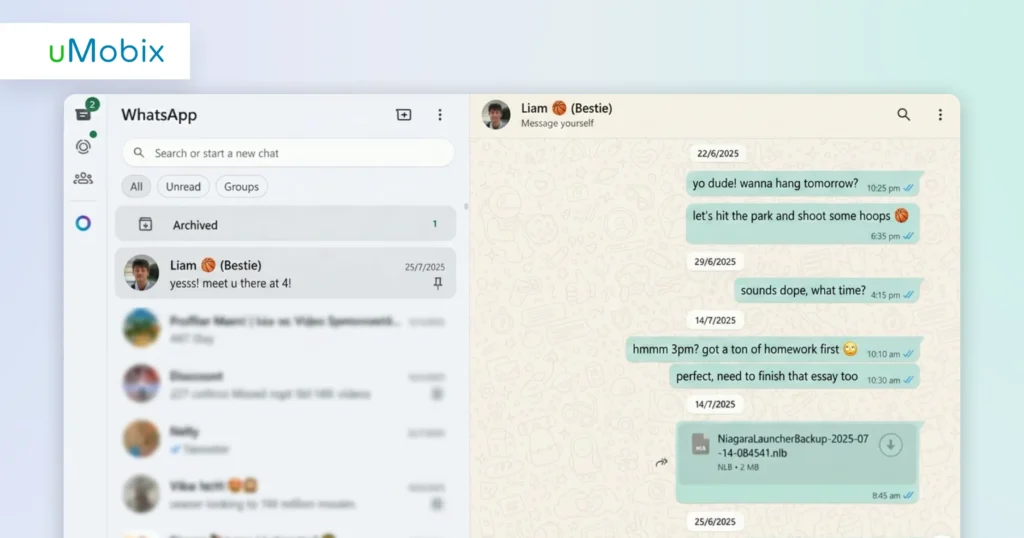
How to Read Encrypted WhatsApp Messages: What Methods Exist?
As WhatsApp grows more popular among teens, parents are becoming increasingly concerned about online safety. And for good reason. Reports of WhatsApp scams and suspicious messages have continued to appear in recent years.
Wanting to make sure a child is safe and not exposed to harmful online interactions is completely natural. Below are four of the most common approaches parents may use to stay aware of the child’s WhatsApp activity.
Worried About Online Risks?
Monitor WhatsApp activity and spot potential dangers before they become serious problems.
Method 1: How uMobix Reads WhatsApp Messages Before Encryption
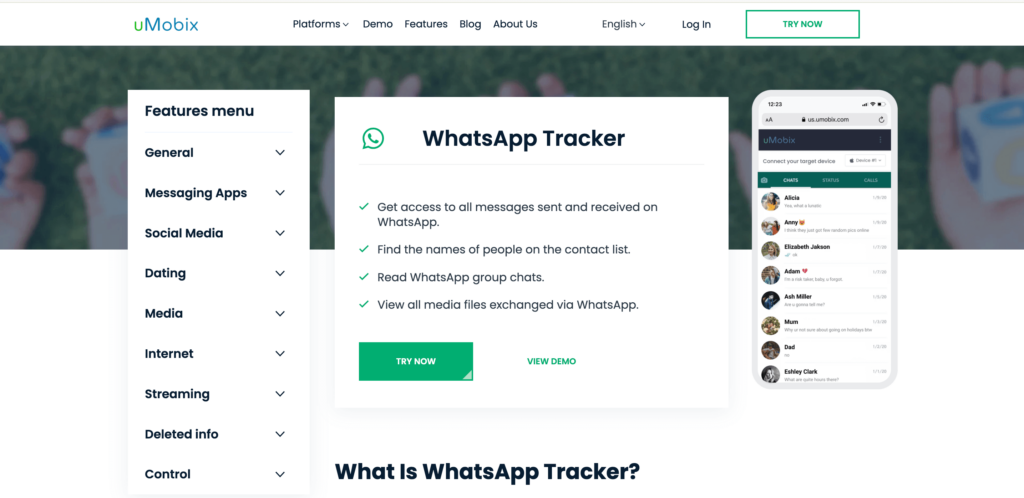
Il uMobix WhatsApp tracker is one of the most effective parental monitoring solutions for viewing WhatsApp activity.
Come funziona:
- You install the app on the Android device you want to monitor.
- The app captures screenshots of WhatsApp conversations as they appear on screen before they are encrypted and sent.
- The screenshots are then uploaded to your personal dashboard.
This approach bypasses encryption entirely because uMobix functions at the display layer rather than the network layer.
In addition to monitoring conversations, uMobix also works as a WhatsApp number tracker for parents and an SMS tracker for Android, helping families stay aware of unknown or suspicious contacts.

See How uMobix Works
Stay aware of WhatsApp activity without bypassing encryption
Prova subito uMobixMethod 2: How to Decrypt WhatsApp Messages via Backup
Some users try to access WhatsApp encrypted backup stored on Google Drive. Technically, this is not “decryption” in the traditional sense. It’s just restoring previously saved WhatsApp backups within the app itself.
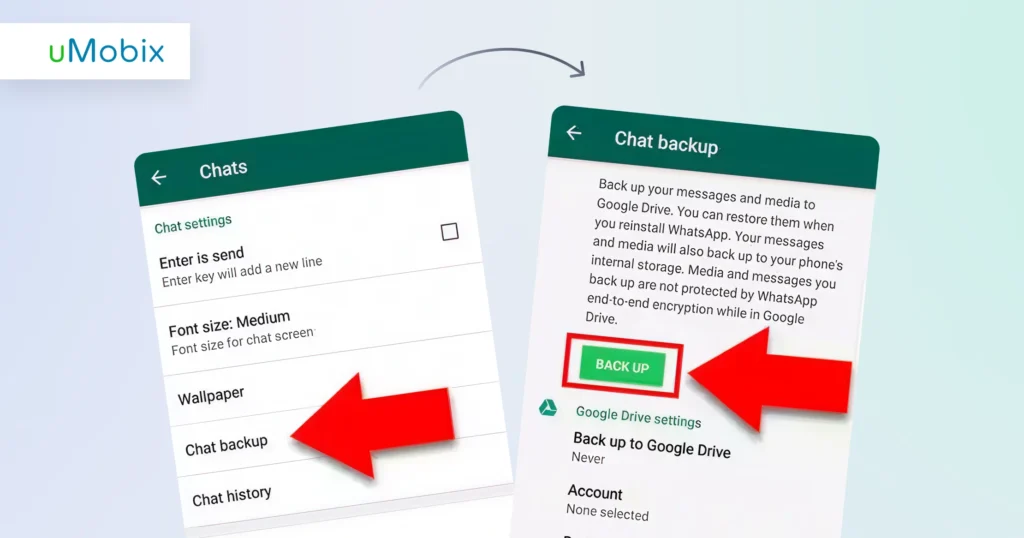
Before starting, make sure that a backup already exists. To check:
- Open Settings in WhatsApp.
- Go to Chats and select Chat Backup.
- Check whether a backup is available.
Most likely, WhatsApp will require an additional encryption password or security key. If you have access to the correct credentials, you can use them during the restoration process.
To restore a backup:
- Uninstall and reinstall WhatsApp on the device.
- Verify the same phone number used for the backup.
- When prompted, tap Restore.
WhatsApp will then use the account credentials or encryption key to load the saved messages automatically.
Backup restoration is also discussed in guides about how to recover deleted WhatsApp messages.
Still, backup-based methods are not always practical for parental monitoring because they require authorized access to the device and backup settings.
Method 3: Access WhatsApp Web or Linked Devices
Like most messaging apps, WhatsApp also has a web and desktop version. Parents can monitor WhatsApp activity by syncing conversations across multiple devices.
How to do it:
- Open WhatsApp Web in your browser or download the Desktop app.
- Access the target device, tap the three-dot menu, and select Linked Devices.
- Scan the QR code displayed on your screen or choose to “Link with phone number”. In the latter case, you will receive the confirmation code to enter on your phone.
If a device has already been connected to a WhatsApp account, messages may be visible through the linked session right away.
Linked devices are sometimes used if you are searching for ways to see a child’s text messages. Don’t forget that linked sessions can be logged out remotely, and access may be lost if security settings change.
Method 4: Restore from an Unencrypted Backup
Older versions of WhatsApp sometimes stored local backups without advanced encryption enabled. Restoring one of these backups may allow users to recover previous chat history by reinstalling WhatsApp and using a previously saved local backup file.
In practice, this is one of the least reliable methods, as unencrypted backups are becoming less common. The method may also require physical access to the device and older backup files, which significantly limits its usefulness for parents.
Can Parents Read WhatsApp Messages on Their Child’s Phone?
Technically, parents can’t read encrypted messages directly through WhatsApp itself. That’s exactly what WhatsApp end-to-end encryption is designed for, right? However, some parental monitoring solutions work differently. Tools like uMobix capture visible WhatsApp activity directly on the device before or after encryption takes place.
The uMobix WhatsApp tracker helps parents stay aware of their child’s online activity by providing visibility into private and group chats in real time. This can help families notice potential risks, including explicit content, cyberbullying, harassment, or scams.
For parents who want additional insight into potentially risky online interactions, tools like uMobix may offer a more practical alternative than attempting to bypass encryption itself.
If you want to better understand how scams work on WhatsApp and why they can be dangerous for children and teens, check out our article on WhatsApp scams explained.
What uMobix Can See on WhatsApp — Even With Encryption On
uMobix captures visible activity directly on the device screen before messages are encrypted and sent. Depending on the device settings and permissions, parents may see:
- full WhatsApp conversations with timestamps
- private and group chats
- shared photos and videos
- contact names and phone numbers
- deleted messages captured before removal
Since uMobix takes screenshots in real time, some parents may wonder: “WhatsApp notifica gli screenshot?” Fortunately, the app works in the background on Android devices and does not send alerts during monitoring.
However, parental monitoring tools should always be used legally and responsibly, especially when minors are involved.
If you want to explore how WhatsApp monitoring works in practice, you can try the uMobix demo and learn more about its WhatsApp tracking features.
Linea di fondo
WhatsApp encryption is designed to prevent outsiders from reading conversations while messages are being transmitted. Most methods do not actually “break” encryption. Instead, they work by accessing messages directly on the device before or after encryption takes place.
Tools like uMobix may provide additional visibility into potentially risky conversations, scams, cyberbullying, or suspicious contacts. Parents should use such apps legally, responsibly, and with a strong focus on trust and digital safety.
FAQ
You can’t read encrypted WhatsApp messages directly through WhatsApp itself. Instead, you can access messages before or after encryption occurs. Common approaches include third-party tools, WhatsApp backup restoration, linked devices, and older unencrypted backups.
Yes, all messages are end-to-end encrypted by default, and no one can read them, except the sender and the recipient.
Not in the traditional sense. WhatsApp end-to-end encryption is designed to prevent unauthorized access during messaging. Most practical methods rely on device-level access instead.
uMobix captures WhatsApp activity before encryption takes place, while messages are still visible on the device screen. The tool records this activity and transfers it to a personal dashboard for viewing without sending alerts during monitoring.
Although encrypted WhatsApp messages are extremely difficult to intercept directly, parents may use parental monitoring tools like uMobix to monitor WhatsApp activity on the device itself.
Yes, WhatsApp backups are protected with additional encryption passwords or security keys in the majority of cases. Some older backups, however, may not have advanced encryption enabled.
Smettete di tirare a indovinare, tracciate semplicemente con uMobix
Un'app parentale che garantisce la vostra tranquillità
Prova oraUltimi messaggi
- Does Blocking Someone on Instagram Delete Messages? And Other Instagram Questions Parents Ask
- How to See Deleted Calls: Methods That Actually Work
- How to See Deleted Search History: Methods That Actually Work
- How to See Deleted Reddit Posts: Methods That Actually Work
- How to Tell If Someone Blocked You on Instagram: Sure Signs to Look For


