

Something feels off. You search for a profile you used to see all the time, and suddenly it’s gone. Your messages are still there, but nothing has changed. Meanwhile, a friend casually mentions they can still view that same account. At that point, the question hits: Did someone block me on Instagram?
The tricky part is that Instagram doesn’t tell you. There’s no notification, no alert, nothing that confirms it directly. That’s why so many people end up trying to figure out how to tell if someone blocked you on Instagram by piecing together small clues.
Once you know what to look for, though, the signs are actually pretty clear.
Does Instagram Notify You When Someone Blocks You?
No. Instagram does not notify you when someone blocks you. This isn’t a glitch or a missing feature. It’s intentional. Instagram keeps blocking private accounts, which is why users are left figuring things out on their own. That’s also why searches like how do you know if someone blocked you on Instagram are so common.
Did someone block you on Instagram?
Instagram won’t send you a notification if someone blocks you. But there’s a quick way to check it!
Prova uMobixWhat Does It Look Like When Someone Blocks You on Instagram?
When someone blocks you, their profile doesn’t just disappear completely. It becomes partially invisible. That’s what confuses most people. You might not be able to find them through search, their posts vanish, and your messages stop updating.
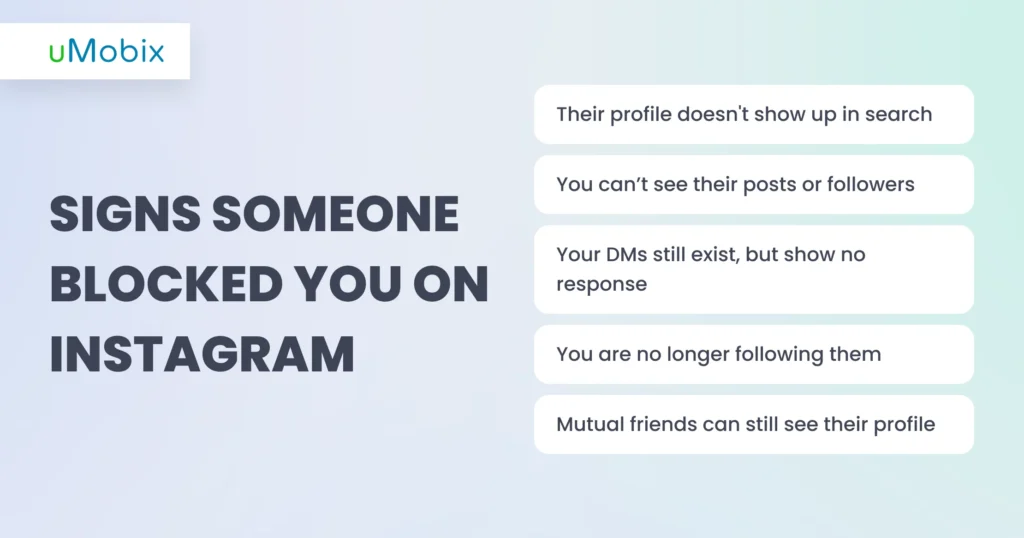
So if you’re wondering what does it look like when someone blocks you on Instagram, it usually looks like this:
- You can’t find their profile through search
- Their posts and followers are no longer visible (there is a trick that not everyone knows how to find someone’s deleted Instagram posts)
- Your messages remain, but nothing is delivered
- You are no longer following them
- Mutual friends can still see their account
Individually, these signs can mean different things, but together, they point pretty clearly to a block.
Signs Someone Blocked You on Instagram
Now let’s break it down step by step. These are the most reliable signs someone blocked you on Instagram.
Their Profile Doesn’t Show Up in Search
One of the first things people notice is that the account becomes impossible to find. If you search their exact username and nothing shows up, that’s a strong sign. However, it’s not 100% proof on its own, since they could have changed their username or deleted their account. Still, when this occurs alongside other signs, it becomes much more telling.
You Can’t See Their Posts or Followers
Even if you somehow open their profile (for example, through an old chat), it may look empty. You might see a blank page with “No posts yet,” even though you know they had content before. Their followers and following lists may also be hidden. This is one of the clearest answers to what it looks like when someone blocks you on Instagram, because the account technically exists, but not for you.
Your DMs Still Exist But Show No Response
Your conversation doesn’t disappear, which often throws people off.
You can still open the chat, but:
- Messages don’t get delivered
- You won’t see “seen” status
- Nothing updates anymore
If you’ve been trying to figure out can you see if someone blocked you on Instagram, this is one of the strongest clues. The chat is there, but it’s basically frozen.
If you’re curious about message behavior in general, you might also want to check come vedere i messaggi non inviati su Instagram.
You’re No Longer Following Them
Another important sign you are blocked: you’re suddenly not following them anymore. Blocking automatically removes both of you from each other’s followers list. So even if you were following them before, that connection disappears instantly. Trying to follow them again won’t work: it either fails silently or doesn’t go through.
Mutual Friends Can Still See Their Profile
You ask a friend to check, and they can still see the profile, posts, and followers without any issues. That confirms the account still exists. At that point, it’s no longer a guess because you’ve basically confirmed how to tell if someone blocked you on Instagram.
Do not want to ask your friend about this?
Nobody wants to share sensitive info and provide unnecessary explanations. That’s why a tool like uMobix was created.
How Do You Know If Someone Blocked You on Instagram vs Deleted Their Account?
If you’re trying to figure out how do you know if someone blocked you on Instagram, you need to separate the two cases:
- If they deleted their account
The profile is completely gone for everyone. No one can find it, and the username disappears entirely.
- If they blocked you:
The profile still exists, but only others can see it. You might see an empty page or nothing at all, while others see everything normally.
Another way to check it is to ask someone else to search for the account. If they find it and you can’t, that’s a clear sign you’ve been blocked.
If you’re already looking into missing content, you might also notice posts or stories disappearing, so it can help to know come vedere le storie cancellate su Instagram or even how to find deleted reels on Instagram, since not everything that disappears is always related to blocking.
Uncover the Truth with uMobix
For parents, situations like this are rarely just about curiosity. When something changes on Instagram (e.g, sudden silence, missing interactions, or unusual behavior), it often raises bigger questions about what’s really going on behind the screen.
If you’re trying to understand your child’s Instagram environment, it’s not just about how to tell if someone blocked you on Instagram. It’s about seeing the full picture: who they interact with, what kinds of messages they receive (in this guide, we explain come vedere i messaggi di Instagram di qualcuno), and whether there are any signs of pressure, bullying, or risky communication.
This is where uMobix helps:
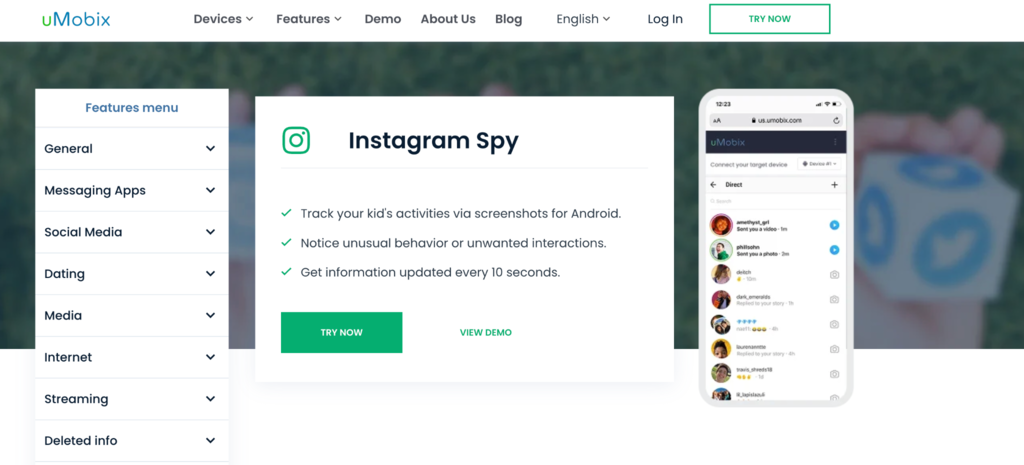
- Screenshot-based activity tracking (Android): Instead of relying on partial data, uMobix captures screenshots of Instagram activity every 10 seconds, showing exactly what’s happening on the screen. It includes messages, comments, profiles, and interactions.
- Access to messages, followers, and interactions: You can review direct messages, comments, and changes in followers, all in one place. You will understand their ongoing communication patterns and who your child regularly engages with.
- Detect unusual or risky behavior early: Instagram is one of the platforms where teens are more likely to experience bullying or negative interactions, often in ways they wouldn’t openly talk about. With continuous monitoring, you can notice changes in tone, repeated negative messages, or sudden shifts in activity before a problem arises.
- Frequent updates with stored history: Their cell phone information is updated roughly every 10 seconds and stored in your dashboard for up to 180 days (with options to extend).
- Simple setup and background operation: After installing the app and connecting it to your account, everything runs in the background without constant input. You can check the Instagram tab in your dashboard anytime and see organized, easy-to-read data.
What to Do After You’ve Been Blocked
Realizing someone blocked you can be confusing, especially when it happens without any clear reason or prior conversation. It’s easy to overthink it or try to figure out exactly what went wrong, but in most cases, how you respond matters more than why it happened.
Here are a few recommendations for you if you suspect you have been blocked by someone on Instagram:
- Respect: Even if it feels personal, blocking is often just someone setting a boundary for themselves, not necessarily making a statement about you. Trying to push past that boundary usually doesn’t lead to anything helpful and can make the situation more uncomfortable.
- Reach out: If there’s a real reason to reconnect, such as something important left unresolved, consider reaching out through another platform. A simple message is enough.
- Avoid overanalyzing every detail: It’s easy to start replaying past conversations or trying to connect small dots that may not even be related. In reality, people block for all kinds of reasons, and not all of them are logical or explainable from the outside. Spending too much time trying to decode usually leads to more stress than clarity.
- Refocus: Instead of checking whether their profile reappears or wondering what they’re doing, it’s often more useful to refocus on your own activity and connections. It will help you move forward rather than stay stuck in a situation you can’t really control.
For parents, the situation looks different. Instead of guessing what’s happening or interpreting signs, tools like uMobix make it possible to actually see interactions and changes as they happen.
Conclusione
Instagram won’t ever straight up tell you that someone blocked you – you kind of have to read between the lines. At first, it feels a bit confusing, but once you spot a few of the signs we talked about, it usually clicks, and you can tell what’s going on.
For parents, though, guessing isn’t always enough. Instead of trying to figure things out after something has already changed, tools like uMobix make it easier to see what’s happening and keep an eye on how your child interacts online.
FAQ
Look for multiple signs together: missing profile, no posts, unchanged messages, and confirmation from mutual friends. One sign alone isn’t enough, but combined, they give you a clear answer.
You won’t get a notification, so you need to check manually. If you can’t find their profile but others can, that’s one of the strongest indicators.
No. Existing chats remain visible, but new messages won’t be delivered.
The most reliable way is to compare what you see with what others see. If there’s a difference, it usually confirms a block.
There’s no official confirmation from Instagram, so you usually have to rely on a combination of signs to check whether someone has blocked your IG account. Alternatively, you can use Mobix - a tool that will help you to clear the water.

Smettete di tirare a indovinare, tracciate semplicemente con uMobix
Un'app parentale che garantisce la vostra tranquillità
Prova oraUltimi messaggi
- Does Blocking Someone on Instagram Delete Messages? And Other Instagram Questions Parents Ask
- How to Read Encrypted WhatsApp Messages: What’s Actually Possible
- How to See Deleted Calls: Methods That Actually Work
- How to See Deleted Search History: Methods That Actually Work
- How to See Deleted Reddit Posts: Methods That Actually Work


