

Every day, children easily reach unsafe or harmful content online. From hidden slang in social media to risky websites and viral challenges, the internet is full of traps. Waiting until something happens is like closing the barn door after the horse has bolted.
That’s why having a strong list of keywords to block for parental control is so important to protect your child. With the right setup, you can stop adult content, dangerous apps for kids, gambling sites, and risky search terms before your child even sees them.
In this guide, you’ll find a full, ready-to-use roll of keywords to block for parental control, learn how keyword filtering works on devices and routers, and get tips for building a system that grows with your child, so you can stay ahead of online dangers instead of playing catch-up.
Why Keyword Blocking Is Essential for Online Safety
Keyword blocking is like having a safety net for everything your child does online. It checks what they search for, the websites they visit, the apps they use, and even the messages they send. If it detects a risky word or phrase, it automatically blocks access to prevent harmful content from reaching your child.
The tricky part? Slang and online trends change constantly. Words that were safe last year could be risky today. That’s why a constant updating of the list of keywords to block for parental controls isn’t just helpful. It’s a must.
Check your child’s online activity
Use uMobix – reliable parental control app
How to Block Keywords on the Router and Devices
Keeping children safe online works best when you set up protections at multiple levels. This “layered” approach prevents them from circumventing the rules and keeps things consistent across all their devices.
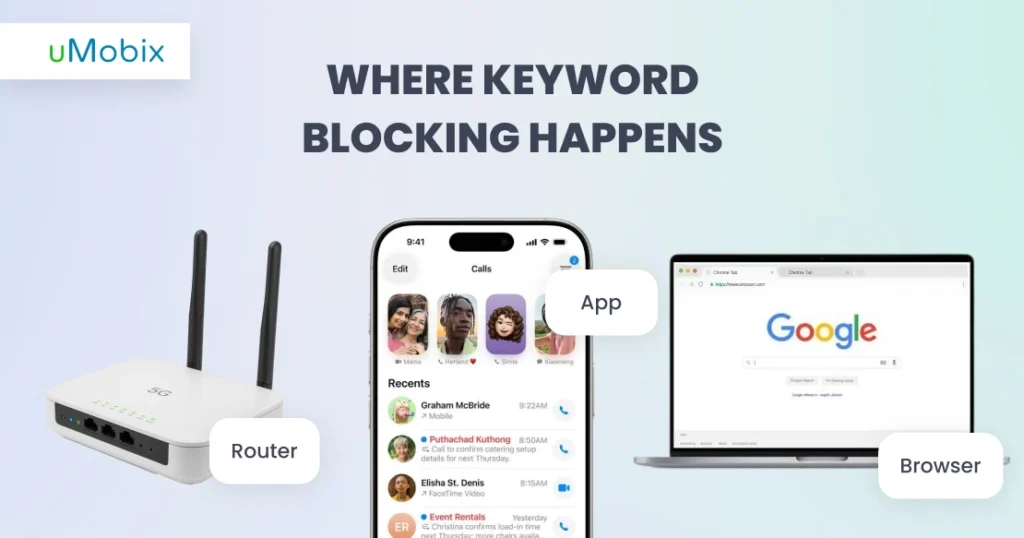
A strong system combines three elements: keywords to block on the router, in-app filters, and browser controls. Together, they cover everything, whether your child is on WiFi at home, using mobile data, playing games, or scrolling social media (for Android devices, a reliable Internet filter for Android makes it easy to apply keyword blocking and app restrictions, while iOS users can use built-in Screen Time controls or compatible parental apps to achieve similar protections).
Blocking Keywords on the Router
A router is not only for connecting devices to the internet. When used properly, it can also serve as the first line of defense for online safety. By using keywords to block on the router, you can prevent it from reaching every device in your home. This means you don’t have to set up filters on each device separately. One action protects them all.
Most modern routers let you add lists of blocked words or phrases. When your child attempts to access a site, search for content, or open an app containing a list of keywords to block on the router, the parental control router will automatically block the request. This is especially helpful for younger children who may not yet fully understand the risks of online use.
Keywords to Block on Parental Control Apps
A parental control app makes it simple to manage what your child sees online. You can block websites, risky words across searches, apps, and messages, targeting the terms that matter most for their safety.
These apps are smart: they let you adjust filters by age, track attempts to access blocked content, and send alerts so you stay in the loop without having to hover.
Browser-Level Keyword Blocking
Even with a secure router and a parental control app, some risky content can still sneak through while kids browse online. That’s where browser-level keyword blocking helps. Most browsers let you set filters or use extensions to automatically block content containing certain words. Adding a clear list of keywords to block for parental control stops unsafe content from showing up in search results or on websites before your child even clicks on it. It’s a simple but effective way to keep online browsing safer.
The best part is that browser filters are easy to update. As new slang, emojis, or risky trends pop up, you can quickly add them to your blocklist. Combined with keywords to block on router and parental control applications, this approach keeps kids safe online while letting them explore the internet responsibly.
Complete Keyword Blocking List by Category
To make keyword blocking effective, organize terms into clear categories. This makes it easier to spot risky areas, like adult content, violence, or gambling, and block them quickly. Each category should include warnings to indicate which words are most harmful and require strict filtering. Using a structured approach ensures your list of keywords to block for parental control stays organized, easy to update, and actually protects your child.
Adult Content Keywords (200+ terms)
It includes words and phrases that lead to sexual or explicit content, which children should never access. Blocking these terms helps prevent exposure to adult websites, videos, or chats that are not age-appropriate.
Examples:
- common adult websites and platforms: p*rn hub, x*deo, *nlyfans
- types of adult content:h*ntai, t*en p*rn, e*otic, a*ult anime
- chat and video terms: cam-g*rl, s*x chat, s*xcam, l*ve cam
- adult roleplay or fetish terms: b*dsm, f*tish, d*minant, s*bmissive, r*pe fantasy
This category alone forms the foundation for keywords to block for parental control.
Violence and Weapon Keywords (50+ terms)
These searches are often linked to violent content, self-harm, or dangerous ideation. Blocking them helps reduce exposure to traumatic material and online radicalization.
Examples:
s*lf h*rm, s*icide, g*n, kn*fe, sh**ting, ex*lode, b*mb, w*apon, h*tman, a*sault, f*ght, t*rror, ex*reme violence, etc.
Drug and Substance Abuse Keywords (80+ terms)
These searches often connect children to harmful communities, unsafe substances, or illegal marketplaces. Blocking them reduces the risk of early exposure or experimentation.
Examples:
- common drugs: w*ed, c*caine, m*th, l*sd, sh*rooms)
- prescription or party drugs: x*nax, m*lly, p*lls
- methods of use or purchase: v*pe, d*ugs online, b*uy w*ed
Gambling Keywords (40+ terms)
Gambling content increasingly targets teens through games, apps, and even social media. Exposure can encourage risky behavior, overspending, or unhealthy habits. Blocking these terms helps prevent accidental visits to gambling sites and keeps kids focused on age-appropriate activities.
Examples:
- common gambling words and games: b*t, c*sino, j*ckpot, p*ker, s*ots
- sports and online betting: sp*rtsbet, m*neyline, c*ypto bet
- casino-style games: r*llette
Hate Speech and Extremism Keywords (60+ terms)
These words are linked to extremist groups, hate speech, and radical ideas. Exposure can influence children, encourage unfair treatment of others, or even pull them into dangerous online communities. Blocking these terms helps to protect kids from harmful content and gives them space to explore the internet safely.
Examples:
- extremist or hate-related terms: n*zi, j*had, ex*remism, h*te group
- racial or identity-based slurs: wh*te p*wer, r*cist sl*rs
Social Media Bypass Keywords (30+ terms)
Some kids try to work around filters and blocks using clever tricks or hidden tools. Social media bypass keywords are the words they type to circumvent restrictions and hide what they’re doing online. Even with these terms blocked, the strictest parental controls can be easily bypassed.
Examples:
v*pn free, pr*xy, t*r browser, u*block, h*de history, p*ivate dns, anonym*zer, vpn app, proxy server, unblock website, stealth mode, incognit*o mode, private browsing, vpn settings, bypass filter, dns changer, hide IP, unblock social media, free vpn, vpn service, unblock TikTok, unblock YouTube, vpn extension, anonymous login, stealth browser, bypass block, unblock apps, vpn download, private network, internet bypass, masked connection.
Dangerous Challenge Keywords (20+ terms)
These searches often refer to viral challenges or dares that can lead to physical harm. Children may encounter these trends on social media or video platforms, sometimes without realizing the real danger. Blocking these keywords helps prevent exposure and keeps children safer from risky online activities.
Examples:
rch*llenge game, d*re, bl*ckout challenge, s*lf-h*rm trend, cinnamon challenge, fire challenge, ice bucket extreme, Tide pod challenge, choking game, knife challenge, swallowing challenge, hot pepper dare, slap challenge, dizzy challenge, desk flip challenge, jump challenge, daredevil challenge, stunt challenge, extreme prank, crush challenge, hold breath challenge, dangerous TikTok challenge.
18+ Websites Keywords
The 18+ websites category covers any terms that signal adult-only content, such as “18+,” “a*ult only,” “n*sfw,” “x** only,” and similar phrases. Blocking these words keeps children from accidentally stumbling onto content that’s not meant for their age – think of it as putting up a digital “do not enter” sign.
Adding these keywords to your parental control blocklist also strengthens app and browser filters, catching unsafe sites before they appear in search results. It’s a simple but powerful way to close gaps in your protection.
Wanna know more? Download a wide list of keywords to block for parental control here:
Platform-Specific Keywords to Block
Different platforms have their own risks, so blocking keywords isn’t a one-size-fits-all approach.
YouTube Keywords to Filter
Even with Safe Mode on, YouTube can sneak risky videos into kids’ feeds through recommendations. Filtering adult content, violent terms, and dangerous challenge phrases is crucial to stop them from stumbling onto unsafe material. And do not forget to update your list regularly to ensure nothing slips past your filters.
Gaming Platform Keywords
Gaming chats and communities often use coded language for adult topics, gambling, or harassment. Monitoring and filtering these parental control keywords to block helps reduce harmful interactions. Blocking risky words in games also helps prevent your child from seeing unsafe content while playing online or chatting.
Social Media Slang to Monitor
Modern slang changes constantly, and kids often use it to hide what they’re talking about. Reviewing new trends, including emoji slang, helps parents spot risky conversations early.
How to Implement Keyword Blocking Effectively
Keyword blocking works best when it’s part of a larger strategy. Start by setting up filters on devices, apps, and browsers. Regularly review alerts and check which keywords triggered blocks. Use these moments to have open conversations with your child about why certain content is blocked. It helps kids understand the rules.
Keep your roll ofkeywords to block for parental control up to date. Slang, trends, and viral challenges change quickly, so it’s essential to check and update your filters every few months.
Limitations of Keyword Blocking
Keywords to block for parental control are a helpful approach, but it has some important limitations:
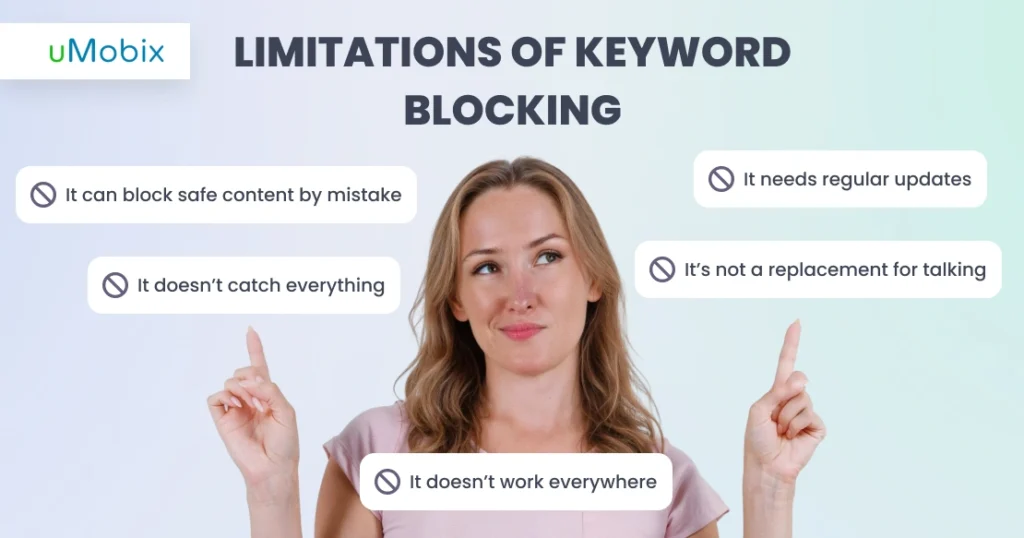
- It doesn’t catch everything: Kids can use new slang, emojis, spelling tricks, or codes to get around filters.
- It can block safe content by mistake: Even a harmless website might be blocked if it includes a word on your list.
- It doesn’t work everywhere: Some apps, devices, or browsers may not comply with the rules, so children can still see risky content.
- It needs regular updates: New trends and terms emerge constantly, so old lists can quickly become outdated.
- It’s not a replacement for talking: Keyword filters don’t teach kids safe online habits – talking and checking in is still important.
Keyword blocking is a good start, but it works best when you also watch activity, update lists, and keep talking to your child about safe online behavior.
Beyond Keywords: Complete Parental Control Strategy
Blocking keywords is just one part of keeping kids safe online. To be truly effective, it should be combined with open communication, clear rules, and active supervision.
Keep kids safe online with uMobix
Combine open communication, clear rules, and active supervision with our reliable parental control app
Here are a few golden rules you must follow:
Rule #1: Talk with your children about why certain content is blocked and what risks exist online. Explaining the “why” helps them understand, rather than just feeling punished or restricted.
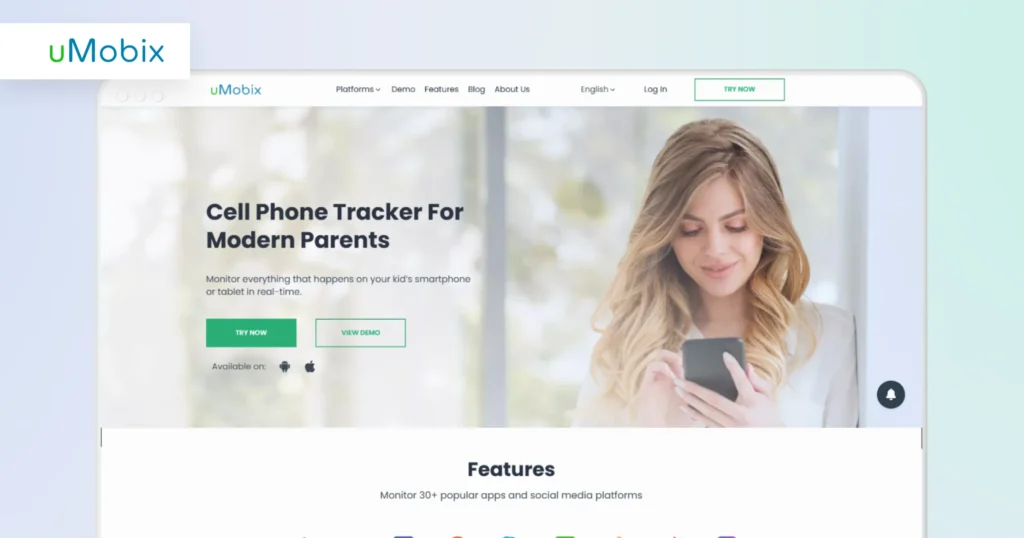
Rule #2: Use a reliable parental control app like uMobix. Such apps will help you combine keyword blocking with screen monitoring, app tracking, and alerts for suspicious activity. You can see which apps your child uses, what sites they visit, and even which keywords trigger blocks.
Rule #3: Open discussion, regular check-ins, and teaching kids safe online habits are just as important. It will help keep your children safer while still giving them the freedom to explore the internet responsibly.
Age-Appropriate Keyword Lists
Children of different ages face different online risks, so your list of keywords to block for parental control should change as they grow.
Keywords to Block for Ages 6-10
At this age, focus on adult content, violence, gambling, and unsafe communication. Keeping the list strict prevents accidental exposure to age-inappropriate content. Simple, broad filters are usually enough, and open discussion about online safety helps them understand boundaries.
Example of parental control keywords to block:
p*rn, h*ntai, b*dsm, c*sino, j*ckpot, bl*ckout challenge.
Keywords to Block for Ages 11-14
At this age, children may experiment online or attempt to circumvent restrictions. Thus, keyword blocking should be combined with monitoring and open conversations.
Example of parental control keywords to block:
v*pn free, pr*xy, t*r browser, w*ed, x*nax, m*lly.
Keywords to Block for Ages 15-17
Older teens need protection from illegal content, self-harm, and adult material. Restrictions can be eased gradually, but monitoring and honest conversations are key.
Example of parental control keywords to block:
j*had, r*pe fantasy, s*lf-h*rm trend, c*caine, sp*rtsbet, a*ult only.
Updating Your Keyword List: What’s New in 2026
The internet keeps changing fast, and so do the risks kids face online. Review the latest online safety reports, track emerging slang, and monitor which apps your child is using. That way, your filters stay effective against the newest risks in 2026 and beyond.
Free vs. Paid Keyword Blocking Tools
Not all filters are the same. Free tools catch only the obvious bad words but can miss new slang, risky apps, or ways kids try to get around blocks. That is where paid keyword blocking tools win: they track activity, send alerts, and update automatically with new trends. Using a paid solution makes your parental control keywords to block actually work, keeping kids safer online.
Conclusion
Keeping children safe online starts with a solid list of keywords to block in parental controls. Regular updates ensure filters remain effective against new slang, trends, and platforms. Monitoring reflects what children actually encounter, while open conversations turn rules into guidance rather than restrictions. Combining these three steps – blocking, monitoring with uMobix, and talking – creates a practical, human approach to online safety.


Latest posts
- How to Find Deleted Reels on Instagram: 5 Methods That Actually Work
- How to See Deleted Stories on Instagram: 6 Working Methods (2026)
- How to See Unsent Messages on Instagram: 5 Proven Methods (2026)
- Facebook Location Tracker: How to Find Location by Facebook Account?
- Sign up for Spam Calls and Texts: Your Safety Guide


